Why Version Control Exists: The Pendrive Problem
The Pendrive Story Every Developer Has Lived: Before Git, before GitHub, before “commit” and “push” became everyday words — developers still wrote code.
But the way they managed it was… painful.
Life Before Version Control Systems
Imagine you’re a developer in a small team.
There’s no Git, no cloud repositories, no collaboration tools.
You still need to:
Write code
Share it with teammates
Make changes without breaking others’ work
Recover old versions if something goes wrong
The Pendrive Era
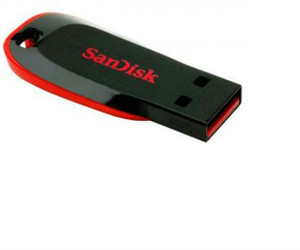
The most common tool?
A pendrive.
Yes — a single pendrive that moved from:
- Developer A → Developer B → Team Lead → Tester
Each person would:
Copy the project folder
Make changes
Rename the folder
Pass it forward
Folders looked like this:
project
project_final
project_final_v2
project_final_v3
project_latest
project_latest_final
project_latest_final_FIXED
Emails as Version Control
If pendrives weren’t used, then emails were.
“Here is the latest code.zip”
“Ignore previous mail, use this one”
“Sorry, wrong attachment, sending again”
Inbox version history:
code.zip
code_final.zip
code_final_really.zip
code_final_fixed.zip
No one knew:
Which file was correct
Who made which change
What exactly changed
Problems Faced Before Version Control Systems
Before tools like Git existed, developers still wrote software—but managing changes was a daily struggle.
There was no proper system to track code history, collaborate safely, or recover from mistakes.1. Accidental Code Overwriting
The biggest issue was overwriting someone else’s work.
Scenario:
Two developers work on the same project
Both make changes independently
One copies their version last
💥 Result:
The other person’s work is completely lost.
There was no merge, no warning, no conflict resolution.
2. No Record of Changes (No History)
When something broke, teams asked:
Who changed this?
When was this added?
Why was this removed?
Most of the time, there was no answer.
Files only showed the current state, not how they evolved.
If a bug appeared, debugging meant guessing.
3. Impossible or Unsafe Rollbacks
If today’s code didn’t work:
You couldn’t easily go back to yesterday’s version
You depended on someone having an old backup
Many teams relied on:
Folder copies
Email attachments
Old pendrive versions
4. Folder Chaos (final, final_v2, latest)
Without version control, developers used folder names as version history:
    project
    project_final
    project_final_v2
    project_latest
    project_latest_final
Problems:
No clear “correct” version
Easy to open the wrong folder
No idea what actually changed