Inside Git: How It Works and the Role of the .git Folder
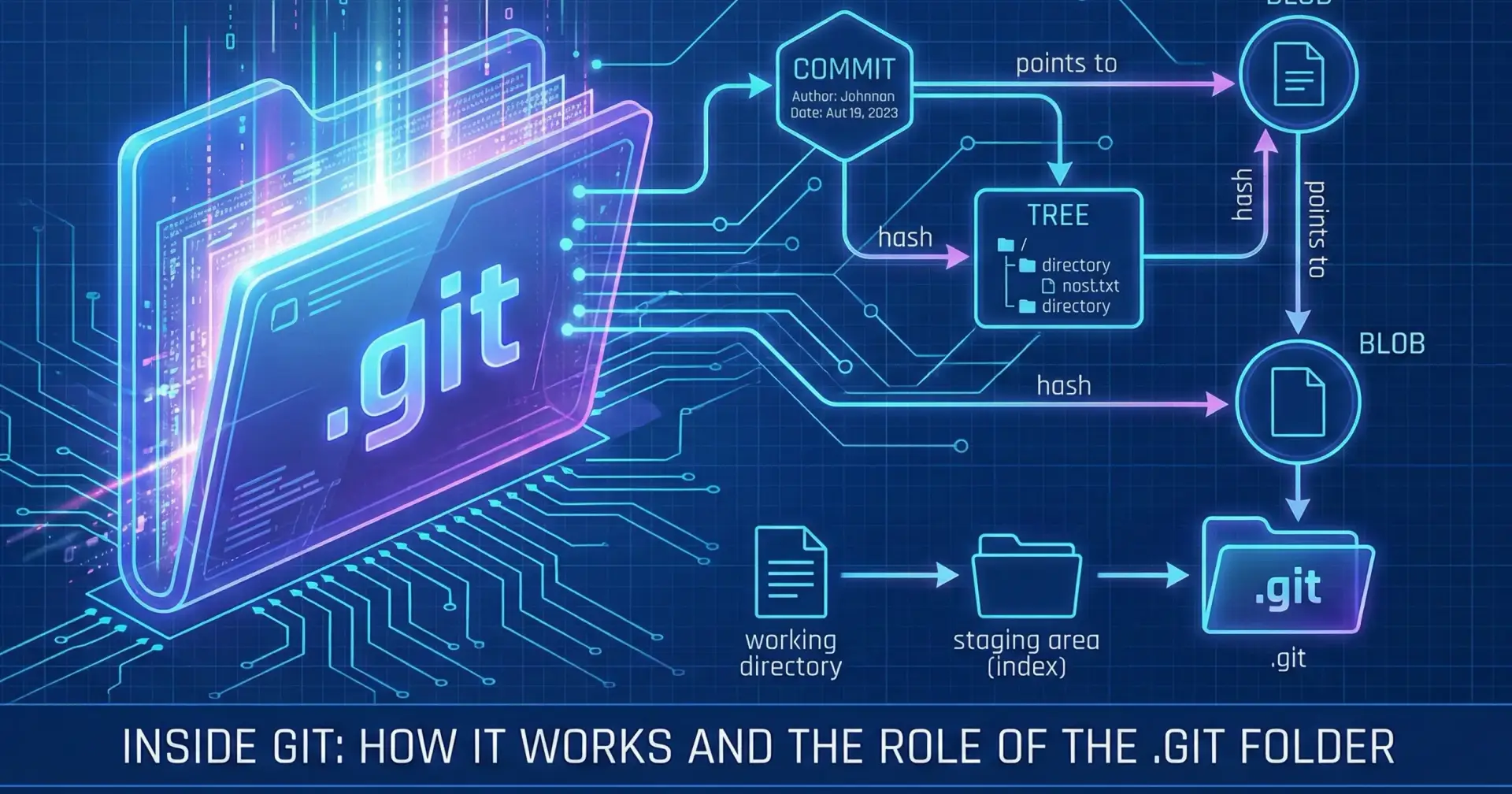
When I started learning Git, I mostly focused on commands like git add, git commit, and git log, etc. I knew what these commands did, but I didn't really know what was happening behind the scenes.
Then I came across the .git folder and started wondering: What is stored inside it? How does Git remember my files? How does it know what changed?
In this article, I am going to explore the basics of how Git works internally and understand concepts like the .git folder, blobs, trees, commits, and hashes in simple terms.
How Does Git Work Internally?
Git does not simply store a copy of my project every time I make a commit. Instead, Git stores information about the content and structure of my project using objects such as blobs, trees, and commits.
Understanding the .git Folder
When we run git init inside a project, Git creates a hidden folder called .git.
git init
my-project/
│
├── index.html
├── style.css
└── .git/
The .git folder is basically the place where Git stores the information it needs to manage the repository. It contains the repository's history, configuration, references, and Git objects.
We should not normally edit or delete files inside .git manually.
For example:
After running ls -la .git , I could see a hidden .git folder in my project. This folder is created by Git when we initialize a repository. It stores the internal information Git needs to track the project and maintain its history.
.git folder ye hai:
.git/
│
├── COMMIT_EDITMSG
├── config
├── description
├── FETCH_HEAD
├── HEAD
├── hooks/
├── index
├── info/
├── logs/
├── objects/
└── refs/
1. objects/ : Git ke important objects yahin store hote hain:
objects/
   │
   ├── Blob
   ├── Tree
   └── Commit
Blob → file ka content
Tree → files/folders ka structure
Commit → project snapshot + history information