Git for Beginners: Basics and Essential Commands

What is Git?
Git is a Distributed Version Control System (DVCS).
In simple words
Git helps you track changes in your code, save versions, and work safely with other developers.
Think of Git like a history manager for your code:
→You can go back to older versions
→You can experiment without fear
→You can collaborate with a team easily
Example:
If your project breaks today, Git allows you to go back to yesterday’s working version

Why is Git Used?
Git is used because it solves common developer problems:
1. Track Code Changes
Every change is recorded. You know:
What changed
Who changed it
When it changed
2. Work Without Fear
You can experiment freely. If something goes wrong, just revert.
3. Team Collaboration
Multiple developers can work on the same project without overwriting each other’s work.
4. Industry Standard
Almost every company uses Git with platforms like:
GitHub
GitLab
Bitbucket
Git Basics and Core Terminologies:
Let’s understand the most important Git terms.
📁 Repository (Repo)
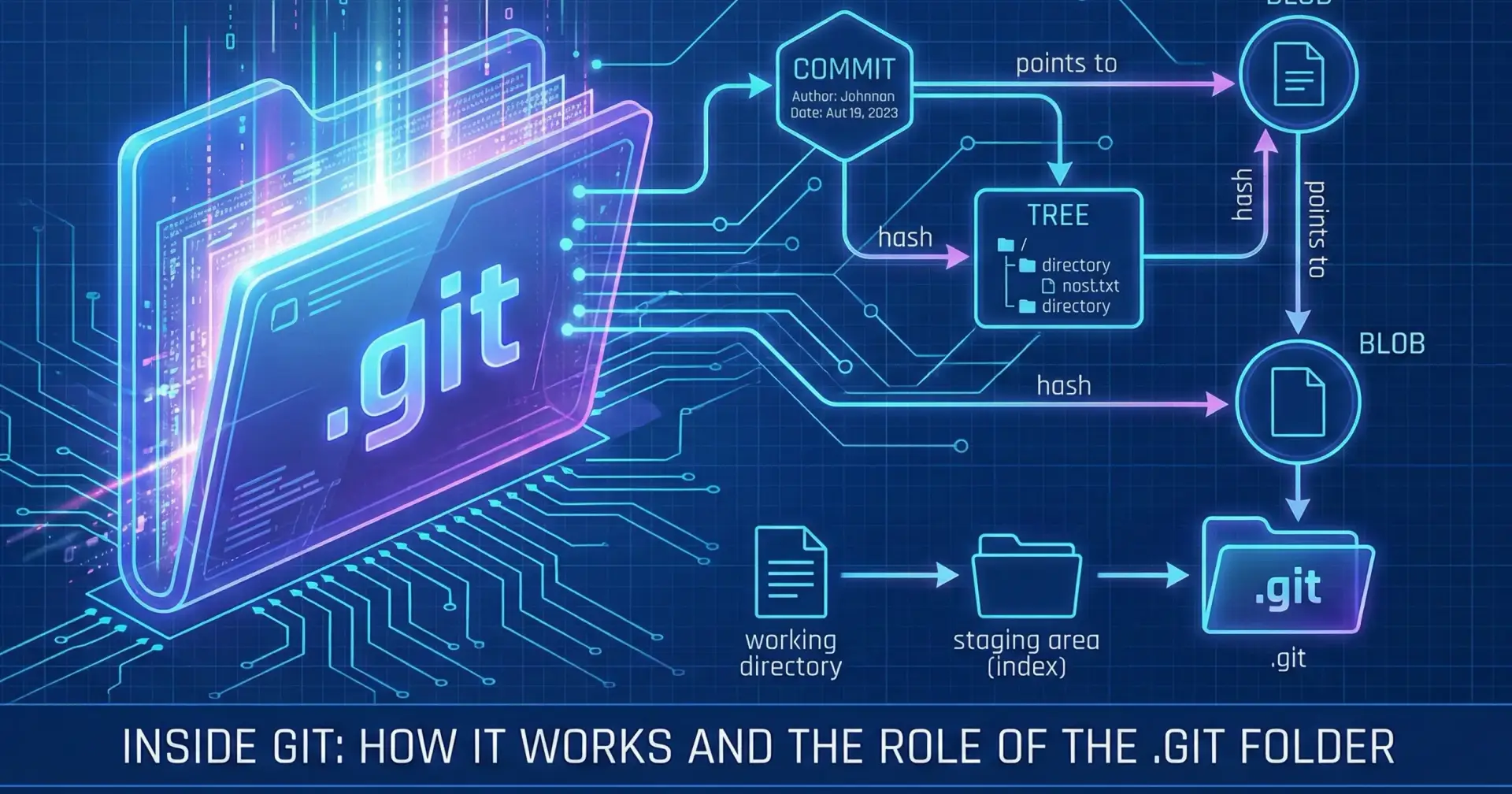
A repository is a folder that Git tracks.
It contains:
Your project files
Git history
All commits and branches
🌿 BranchA branch is a separate line of development.
Why branches?
To add features safely
To fix bugs without affecting the main code
→ The default branch is usually called:
mainormaster🎯 HEAD
HEAD points to:
Your current branch
Your latest commit
→If you move to another branch, HEAD moves with you.
Common Git Commands
git init
Initialize a new Git repository in your project folder.git status
Check File Status
Shows:Modified files
Staged files
Untracked files
git add <file name>
Add Files to Staging Areaor
git add .
Add all files
git commit -m "Initial commit"
Commit Changes- Write clear messages. Explain what you changed.git push
git pushis used to send your local commits to a remote repository
(like GitHub, GitLab, or Bitbucket).Until you push, your code exists only on your laptop.
git log
View commit history
Shows:
Commit IDs
Author
Date
Commit messages